

There are two ways to use authsome day-to-day, depending on who’s driving:Documentation Index
Fetch the complete documentation index at: https://agentr-feature-env-backed-identity-loading.mintlify.app/llms.txt
Use this file to discover all available pages before exploring further.
- Agent-driven. Install the skill and let your coding agent (Claude Code, Cursor, Codex, etc.) call authsome on your behalf.
- CLI-driven. Run
authsomecommands yourself from your shell or scripts.
Prerequisites
- Python 3.13 or newer
- A graphical browser on the same machine (for the initial login). For SSH or CI, see Headless setup.
Verify the install
doctor runs health checks on the home directory layout, encryption availability, and provider parsing. All checks should pass. For other install paths, see Installation.
Path 1: Agent-driven (recommended)
Install the authsome skill into your agent. The skill teaches the agent how to call authsome at the right moments: login when a credential is missing, revoke + re-login on 401,--scopes on 403, and never asking you for tokens directly.
See Agent integrations for per-agent install paths (Claude Code, Codex, Cursor, OpenCode, LangChain, LlamaIndex, OpenAI Agents SDK, Anthropic SDK). The pattern across all of them is the same: drop the skill into the agent’s skill / context directory, then ask the agent to perform a task that needs an external service.
Sample tasks that exercise the skill:
authsome login <provider> itself when it hits a missing credential. The browser opens on your machine for the OAuth consent, then the agent picks up from there with the proxy-injected token. You do not paste any keys.
Path 2: CLI-driven
If you’re scripting against authsome directly or you want to manually pre-seed a credential before launching anything, drive the CLI yourself. Pick one of the two setup tracks below. The first uses GitHub plus OpenAI and produces a runnable demo agent; the second uses Notion via MCP and skips OAuth-app setup entirely.- GitHub + OpenAI (full walkthrough)
- Notion via MCP (zero setup)
Register the GitHub OAuth app (first-time setup)
GitHub doesn’t support Dynamic Client Registration, so before your firstauthsome login github you need to register an OAuth app once. This is a one-time setup.Open GitHub developer settings
Fill the registration form
| Field | Value |
|---|---|
| Application name | Anything memorable, e.g. authsome (local) |
| Homepage URL | http://localhost:3000 (any URL works; GitHub doesn’t validate it for OAuth functionality) |
| Application description | Optional |
| Authorization callback URL | http://127.0.0.1:7998/auth/callback/oauth |
| Enable Device Flow | ☑ check it on |
Log in to a provider
Run the login command
http://127.0.0.1:7998 asking for your GitHub OAuth credentials.Paste the Client ID and Client Secret
Paste the values you saved during the OAuth app registration. They’re encrypted and stored locally; you won’t be asked for them again unless you 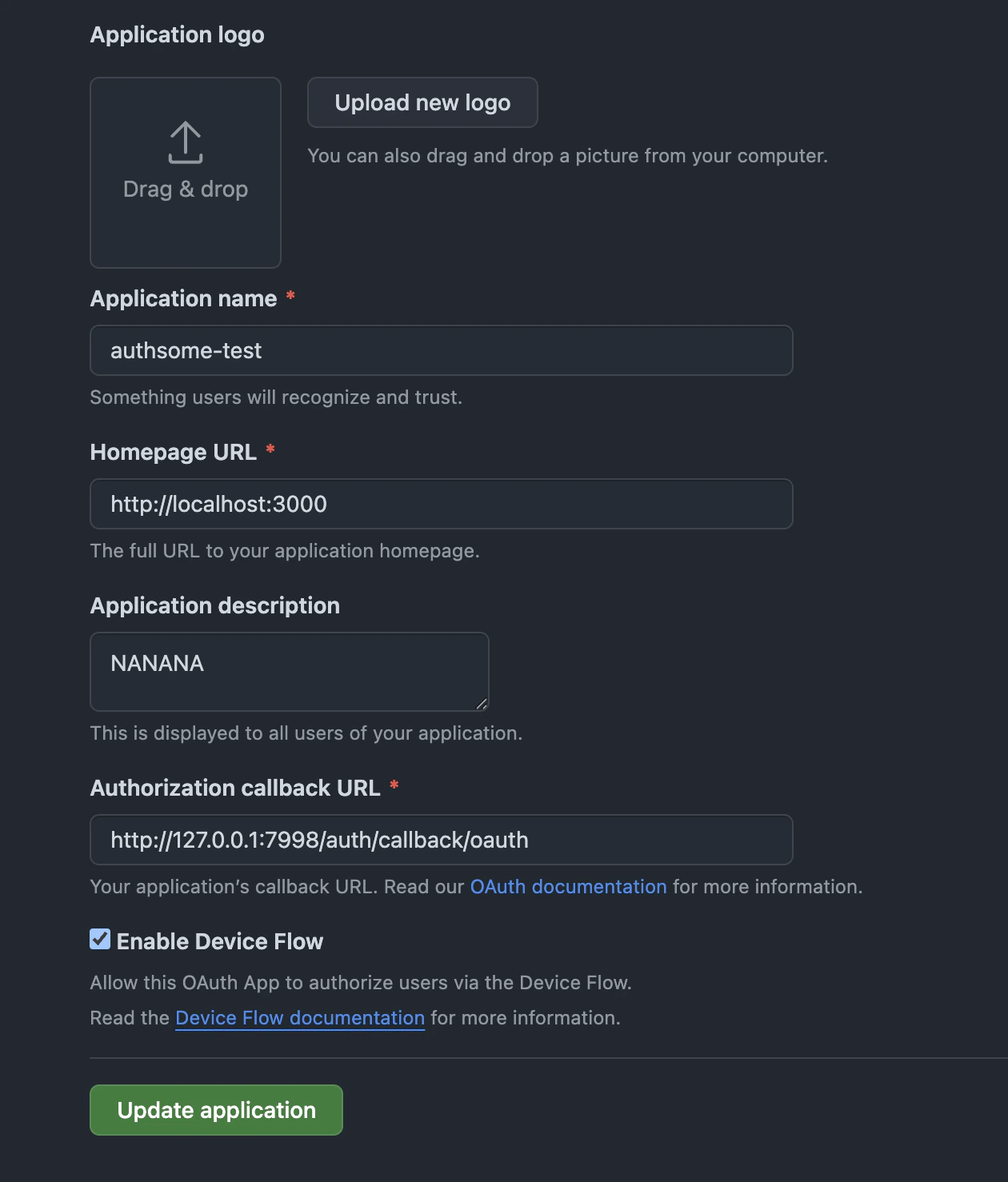
authsome revoke github.Approve access on GitHub
A second browser window opens to
https://github.com/login/oauth/authorize. Click Authorize to grant the requested scopes (repo and read:user by default). GitHub exchanges the authorization for an OAuth access token, the callback lands on http://127.0.0.1:7998/auth/callback/oauth, and authsome stores the token encrypted under your profile. The terminal prints Successfully logged in to github (default).The stored access token is what later commands inject. client_id and client_secret identify your OAuth app to GitHub; the access token is the user-level credential that makes API calls on your behalf. You don’t need a separate PAT.Add an API-key provider
API-key providers like OpenAI use the same login command, but the flow opens a local form so you can paste the key without it appearing in shell history or process listings.Run an agent with injected credentials
A minimal agent that uses both credentials you just set up: it starsagentrhq/authsome on GitHub (a small thank-you to the project) and asks OpenAI to write a one-line celebration. The same script works whether you export env vars first or wrap the command with authsome run --. Save it as my_agent.py.View my_agent.py (Python, standard library only)
View my_agent.py (Python, standard library only)
Option 1: Export to environment variables
Best for quick scripts and existing tooling that reads from environment variables.export prints valid KEY=value lines on stdout. Use eval "$(authsome export <provider> --format env)" to load them into the current shell.Option 2: Run behind the auth proxy
Best for production-style agents. Authsome starts a local HTTP proxy that intercepts outbound requests to known provider hosts and injects the auth headers. The child process never sees the raw secret.OPENAI_API_KEY is set to the placeholder authsome-proxy-managed. The real key is added to outbound requests at the proxy layer.HTTPS interception requires the mitmproxy CA certificate to be trusted on your machine. See Proxy networking if you see TLS errors.
When things go wrong
- 401 / 403 from a provider. See Authentication errors for the recovery decision tree.
- Install or layout issues. Run
authsome doctor, then check Diagnose with doctor. - TLS errors during
authsome run. See Proxy networking.
Next steps
Agent integrations
Per-agent setup: Claude Code, Codex, Cursor, OpenCode, LangChain, and more.
Login flows
Pick the right flow for each provider: PKCE, device code, DCR.
Custom providers
Add any service that authsome doesn’t ship as a bundled provider.
CLI reference
Every command, every flag.